The QWERTZ Keyboard Explained, Key by Key
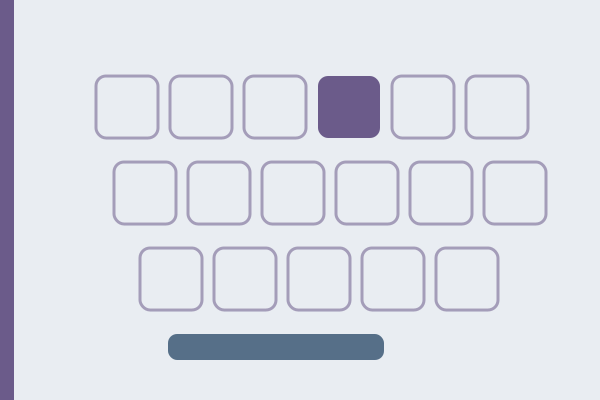
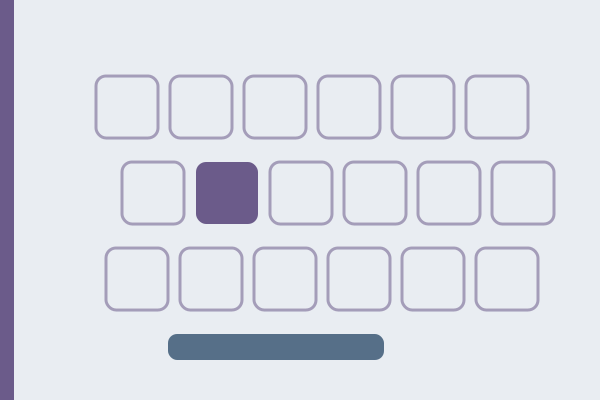
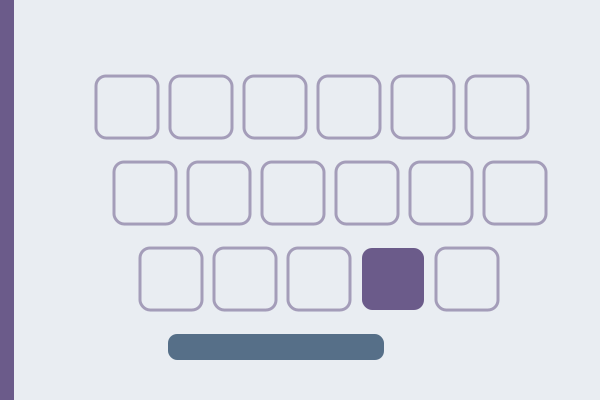
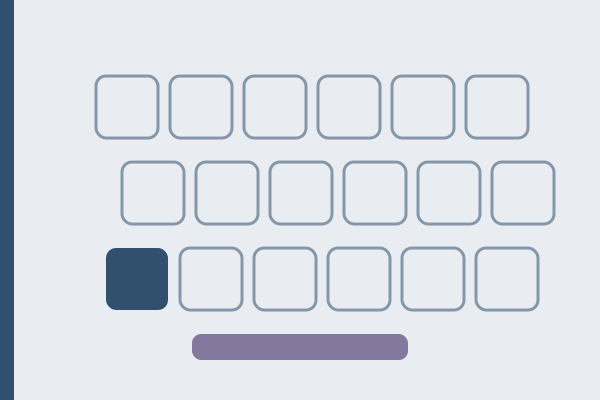
QWERTZ is the keyboard family of the German-speaking world, and the swap in its name is nearly all it does to the alphabet: Y and Z trade places, and the other twenty-four letters stay exactly where US QWERTY puts them. The rest of the board is another story. Set beside the plain US layout in the data behind this site’s keyboards, 24 of the 48 character keys come out different, which makes QWERTZ a board changed by exactly half. The comparison above opens on that pair, so the German positions below need not be taken on faith: check them on the two boards as you read. The Swiss variants come straight from the Windows layout files, and this article says so wherever it leans on them.
Most of what is written about QWERTZ stops at the letter swap, which is the one difference a visitor absorbs in minutes. What actually interrupts typing on a German machine is everything else: the question mark gone from its QWERTY key, an @ that no longer answers to Shift and 2, the apostrophe hiding on a key near Enter, and two keys that print nothing at all until you press something after them.
What does QWERTZ change in the letters?
One pair. Z moves up into the top row, onto the key where US boards keep Y, and Y takes the vacated place in the bottom left corner. The other twenty-four letters do not move at all.
| Position on a US board | QWERTZ prints |
|---|---|
| Y | Z |
| Z | Y |
That is the whole letter story for Germany and Austria, and it cuts both ways. A QWERTY typist can sit at a German machine and type most words without noticing anything, which is precisely why the two rearranged letters keep landing wrong: the fingers have no reason to stay alert. The giveaway text is any English word with a y in it, typed on autopilot: trz instead of try, zes instead of yes. When a keyboard suddenly starts doing this by itself, the layout has been switched out from under you, not broken, and a later section covers the two-keystroke fix.
Why did Y and Z trade places?
Because the two letters matter to the two languages in opposite proportions, and the arithmetic is easy to check. This site keeps a hundred German practice passages and a hundred English ones for its typing test, so we counted. In the German corpus, z appears 381 times and y appears 11 times. In the English corpus the ratio flips: y appears 520 times and z appears 16. Each language buries the other one’s workhorse.
The eleven German y hits are worth a look, because they show how marginal the letter really is: six of them are nineteenth-century spellings such as seyn and sey that modern German writes with an i, and the other five are names and imports, among them System, Ägypten, and Tramways. Modern German prose can run for pages without a single y. Meanwhile z carries everyday German: the three most frequent z words in the same corpus are zu, with 82 appearances, zwischen, and zum, and behind them stand ganz, Zeit, and jetzt.
So QWERTZ moves the letter German uses constantly into the top row, directly beside T, and exiles the letter it barely uses to the bottom corner that QWERTY reserves for its own rarest letter. Whether a design meeting ever framed it that way, no surviving document shows; like QWERTY itself, the arrangement settled among typewriter makers in the nineteenth century and the paper trail is thin. The frequency argument is not a legend, though. It sits in every German text you can count.
Where are ä, ö, ü, and ß?
On the right edge of the board, on four keys that US QWERTY spends on punctuation. This is the second structural difference, and unlike the letter swap it has no QWERTY muscle memory to fall back on:
| Character | Where it sits | On a US board this key types |
|---|---|---|
| ü, Ü | right of P | [ and { |
| ö, Ö | right of L | ; and : |
| ä, Ä | right of ö | ' and " |
| ß | right of the digit 0 | - and _ |
The three umlauts behave like ordinary letters: unshifted for the small form, Shift for the capital. ß is the interesting one. Its key carries three characters stacked on three levels: ß unshifted, the question mark on Shift, and the backslash on AltGr. There is also a fourth, recent tenant: Shift and AltGr together produce ẞ, the capital form that the Council for German Orthography accepted in 2017. The boards above stop at three levels per key; this fourth one lives in the Windows layout file, kbdgr.
One vendor guide claims that ß sits where the question mark is on QWERTY. The layout file says the opposite. ß sits where US boards keep the minus sign, and the question mark lives above it, on Shift and ß; the key where US boards keep the question mark types a plain hyphen on QWERTZ. Getting this wrong in a guide is not a small slip, because the question mark is exactly the character a visitor goes hunting for first.
The punctuation that lost its home to the umlauts had to go somewhere. The apostrophe ends up on Shift and the # key beside Enter, which is why typing don’t on a German board stalls English typists mid-word. The quotation mark is Shift and 2, where QWERTY keeps @. Semicolon and colon give up their dedicated key and move onto Shift and the comma and Shift and the period.
What does the number row type?
Digits, thankfully. Where AZERTY hides all ten digits behind Shift, QWERTZ keeps them unshifted, so numbers cost the same keystrokes as on QWERTY. What changes is the Shift level above them: seven of the ten shifted positions differ from QWERTY, and only !, $, and % survive in place. The full row, straight from the layout file:
| Key | Unshifted | With Shift | With AltGr |
|---|---|---|---|
| 1 | 1 | ! | |
| 2 | 2 | " | ² |
| 3 | 3 | § | ³ |
| 4 | 4 | $ | |
| 5 | 5 | % | |
| 6 | 6 | & | |
| 7 | 7 | / | { |
| 8 | 8 | ( | [ |
| 9 | 9 | ) | ] |
| 0 | 0 | = | } |
A few of these repay attention. The slash rides on Shift and 7, which Germans type constantly in fractions and paired years like 2025/26. The parentheses sit one key to the left of their QWERTY homes, on 8 and 9 instead of 9 and 0, which is exactly the kind of one-off shift that muscle memory refuses to accept for weeks. Shift and 3 produces §, the section sign of German legal citation, a character US QWERTY cannot type at all. And Shift and 2 gives the straight quotation mark, on the position where a QWERTY typist expects @, a collision the next section resolves.
The row has neighbors on both ends. To the left of 1 sits a caret key, and to the right of 0 sit ß and then the acute accent key; the caret and the acute are the two keys that print nothing when struck, and they get their own section below.
Where are @, the euro sign, and µ?
Behind AltGr. That is the key immediately right of the space bar, and it opens a third level of the board that plain US QWERTY leaves empty. The three characters this level is best known for sit on letter keys: @ on Q, € on E, µ on M, the last two chosen by initial.
- @ is AltGr and Q. Nothing about Shift and 2 warns you it now produces a quotation mark, so the at sign is the first thing every visitor ends up hunting for.
- The euro sign is AltGr and E, exactly where French AZERTY keeps it, so that one habit crosses the border intact.
- µ, the micro sign of measurements, is AltGr and M, a small luxury QWERTY does not offer at any price.
- Curly braces and square brackets stack on the AltGr level of the digit row: { on 7, [ on 8, ] on 9, } on 0.
- The backslash is AltGr and ß, and the pipe is AltGr and the extra key beside the left Shift.
- The tilde is AltGr and the + key to the right of ü, and unlike its AZERTY cousin it prints immediately, with no composing behavior.
For a single character you cannot find, paste it into the character finder and it names the key and modifier on every layout this site carries.
Which keys are dead on QWERTZ?
Two keys, carrying three dead marks between them. A dead key prints nothing when struck; it arms an accent and applies it to the next letter. On the German layout:
1. The key to the left of 1 is the circumflex. Press it, then a, and you get â; the file lists compositions for a, e, i, o, and u in both cases. Its Shift level, the degree sign °, is an ordinary character and prints at once. 2. The key to the right of ß is the acute accent. It arms á, é, í, ó, ú, and ý, so café and résumé can be typed as written. 3. Shift on that same key is the grave accent, also dead, composing à, è, ì, ò, and ù.
Each mark can also be produced on its own: strike the dead key, then the space bar, and the file emits the bare accent. German itself needs none of these compositions, but German prose borrows them constantly, and the layout budgets two keys for the borrowing.
The trap runs in both directions. Visitors from AZERTY expect the tilde to be dead and it is not; AltGr and + prints ~ instantly. Visitors from QWERTY expect the backtick to just appear, and it does not: the backtick is Shift and the acute key, dead, so producing a bare one for a command line or a Markdown code fence takes the dead key followed by a space, two keystrokes every time. When a key seems broken rather than merely relocated, the dead keys guide shows how to tell the difference and how to escape.
Do Germany, Austria, and Switzerland type on the same QWERTZ?
Two of the three do. Austria has no layout of its own: the Windows list of keyboard layouts carries German, German (IBM), two German Extended variants, Swiss German, and Swiss French, and nothing labeled Austrian. An Austrian machine simply runs the German layout, so everything above applies unchanged.
Switzerland is a different keyboard, and the difference goes far beyond a few relocated symbols. The Swiss layout serves a country that writes German and French on the same hardware, and every row below comes from comparing the Windows layout files, kbdgr and kbdsg, line by line:
| Germany | Switzerland | |
|---|---|---|
| ß | own key, right of 0 | absent: the character appears nowhere in the layout file |
| ? | Shift and ß | Shift and the apostrophe key, in the same physical position |
| @ | AltGr and Q | AltGr and 2 |
| Capital Ä, Ö, Ü | Shift, like any letter | Caps Lock or the dead diaeresis; Shift produces French letters instead |
| ç | cannot be typed at all | Shift and 4 |
| § | Shift and 3 | its own key, left of 1, unshifted |
| { } [ ] | AltGr and 7, 0, 8, 9 | AltGr on four keys near Enter: the ä, $, ü, and ! keys |
| | | AltGr and the key beside left Shift | AltGr and 7 |
| Numeric pad decimal | comma | period |
The absent ß is not an oversight. Swiss German spells with ss where Germany writes ß, and the Swiss layout enforces the habit at the hardware level: no level of any key produces the character. A Swiss machine writing for a German audience has to paste it, remap something, or hold Alt and type 0223 on the numeric pad.
The umlaut keys are the elegant part. The three keys that Germany dedicates to ä, ö, and ü carry double duty in Switzerland: unshifted they type the umlaut, but Shift produces à, é, and è, the letters French needs most. The price is the capitals, since Shift is already spoken for; the layout file solves it with a rule of its own, under which Caps Lock on exactly these three keys produces Ä, Ö, and Ü. Swiss French is the same board with the three keys mirrored, à, é, and è unshifted and the umlauts behind Shift. Compared line by line, the two Swiss layout files differ in those three keys and in one dead-key detail, the diaeresis struck before a space, and in nothing else.
Switzerland also runs heavier on dead keys than Germany: five dead marks on three keys instead of three marks on two. The acute moves to AltGr and the apostrophe key, one key hosts a dead circumflex, grave, and tilde on its three levels, and the diaeresis, which Germany does not need as a dead key at all, sits unshifted beside ü. Between them they compose both languages’ accents on one board, which is the whole design brief of the Swiss layout in a sentence.
Why does a QWERTZ board have one key more than a US board?
Because QWERTZ lives on the ISO mechanical shape, which has 105 keys to ANSI’s 104. The extra key sits between the left Shift and Y, and on the German layout it carries three characters: < unshifted, > with Shift, and | with AltGr. The Enter key is also tall rather than wide, which pushes # and the apostrophe onto their own key beside it.
That extra key matters more than it looks. In the German layout data, < and > and the pipe exist on that key and nowhere else, so a German layout applied to US-made ANSI hardware, a common situation with imported mechanical keyboards, has no key that produces them at all. Redirection operators and HTML angle brackets simply fall off the board. The ISO and ANSI guide covers the physical differences on their own; the short version for QWERTZ is that the layout assumes ISO, and the hardware under it should match.
How do I switch to QWERTZ, or away from it?
The layout is software, and adding or removing it never involves hardware:
| System | Where | Quick switch |
|---|---|---|
| Windows 11 | Settings, Time and language, Language and region, add German, choose the keyboard | Windows plus Space |
| macOS | System Settings, Keyboard, Input Sources, add German | the input menu in the menu bar, or Ctrl plus Space |
| Linux (GNOME) | Settings, Keyboard, Input Sources, add German | Super plus Space |
One Windows habit to know about before it bites: left Alt plus Shift is a second, silent layout switcher, and hands land on it by accident. A keyboard that starts typing z for y, or that answers Shift and 2 with a quotation mark when you wanted @, has almost always taken that shortcut. The Windows layout guide shows the full round trip, including how to strip the unused layout out so the accidental shortcut has nothing left to cycle to.
Whether the physical keyboard should match is a separate and smaller question. The operating system decides what each key types; the printed caps only matter while you still look at them. The economics of that decision, stickers, and the honest cases for matching hardware are covered in the AZERTY guide, and every word of it applies to QWERTZ unchanged. The quickest reality check: switch layouts, then hit a handful of keys in the keyboard test. What lands on screen is the layout; the paint on the plastic is history.
What actually happens when you write code on QWERTZ?
Brackets and braces all move to the AltGr level along the digit row, and everything else a program needs scatters behind Shift. Measured on the layout data, the line if (x[i] != y) { return; } costs four AltGr chords on QWERTZ, the same count as on AZERTY, against zero on QWERTY. The itemized bill:
- Brackets and braces require AltGr and 8, 9, 7, 0. There is no unshifted or merely shifted way to reach any of the four.
- The semicolon is Shift and the comma, so in languages of the C family every single statement ends with a chord.
- The equals sign is Shift and 0, which prices every assignment and comparison.
- The backtick is dead, as covered above: Markdown code fences take six keystrokes instead of three.
- The angle brackets live only on the ISO key beside the left Shift, and the pipe is AltGr on that same key.
- The slash of paths and URLs is Shift and 7; the backslash of Windows paths is AltGr and ß.
German developers settle into the same three stable answers as their French colleagues: keep QWERTZ and let the AltGr chords become automatic, which they do; keep two layouts installed and jump to US for code with Windows plus Space; or stay on a US layout permanently and reach the umlauts through US International, as the FAQ below spells out. None of the three involves new hardware.
FAQ
What does QWERTZ stand for?
Nothing. Read the top letter row from the left and the first six keys spell it, the same trick that named QWERTY and AZERTY. The name is simply the fastest way to say which of the three families a keyboard belongs to.
Is QWERTZ slower than QWERTY?
No honest measurement says so, because speed lives in familiarity, not in key positions. What the layout data can price: digits cost the same on both boards, German letters cost far less on QWERTZ, since ä, ö, ü, and ß are single keys instead of workarounds, and code symbols cost more through the AltGr chords. Which side of the trade you live on depends on what you type, and a timed test on your own layout answers it better than any argument.
Why does my keyboard type z when I press y?
Because the active layout is QWERTZ while the printed caps are QWERTY, or the reverse. This is the accidental layout switch described above, usually triggered in Windows by left Alt plus Shift, and it reverses the same way, or permanently by removing the layout you never use from the language settings.
How do I type ä, ö, ü, and ß without QWERTZ?
Through a layout designed around that exact need. US International leaves every QWERTY position alone and hangs the German set on AltGr: ä on Q, ö on P, ü on Y, and ß on S, with the quotation mark doubling as a dead diaeresis, so " then a also yields ä. On macOS, holding a, o, u, or s pops up the accented options. Both roads cover German completely without relearning a single letter position.
Can a Swiss keyboard type ß at all?
Not by any key combination: the character is absent from the Swiss layout files, in line with Swiss spelling, which writes ss instead. On a Swiss board, ß has to come from a character map, a copy-and-paste, or the Windows fallback of holding Alt while typing 0223 on the numeric pad.
Passages to type on an unfamiliar board
Reading about a swap does nothing for the fingers; the layout only becomes real when a familiar text comes out wrong. These three passages from the practice corpus work the two relocated letters from opposite directions. William Wordsworth’s I Wandered Lonely as a Cloud, from 1807, runs 412 characters and hits the letter z three times, in breeze and twice in gaz’d, the poem’s own spelling of gazed, each one now landing in the top row. Alfred Tennyson’s The Brook, from 1855, carries eleven y strokes in 482 characters, every one of them aimed at the bottom corner where Y now lives, plus a single z in hazel. And Aesop’s fable of the milkmaid and her pail, in an 1867 translation, is 492 characters with thirteen y hits and no z at all, a pure test of whether the right hand has truly stopped reaching for the old position. The typing test has all three, each labeled with author, year, and source.