ISO or ANSI Keyboard: How to Tell Which One You Have
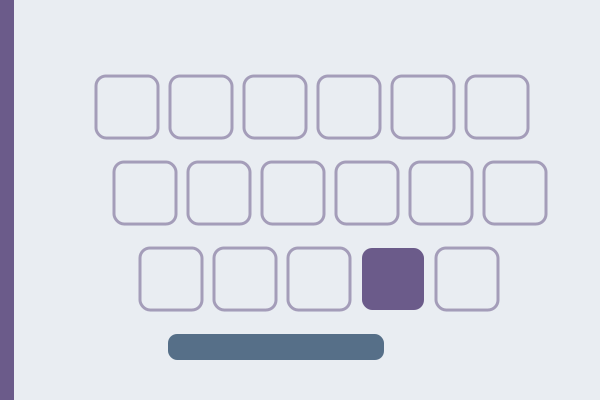
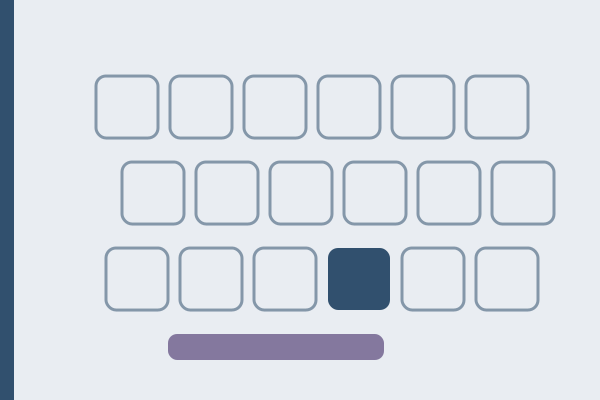
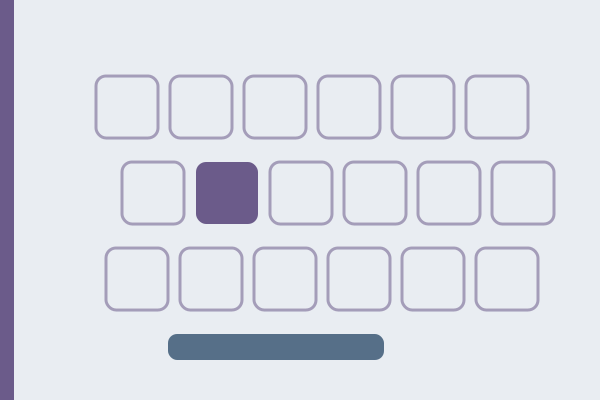
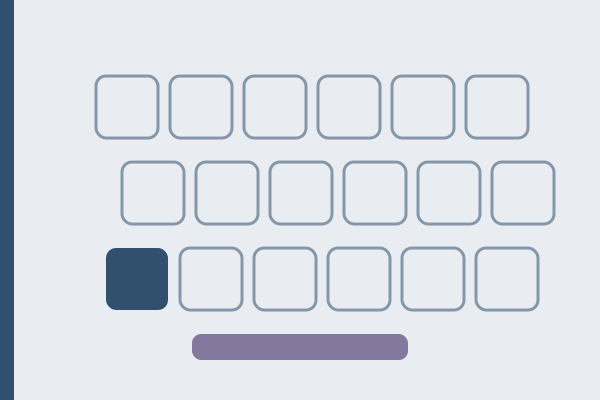
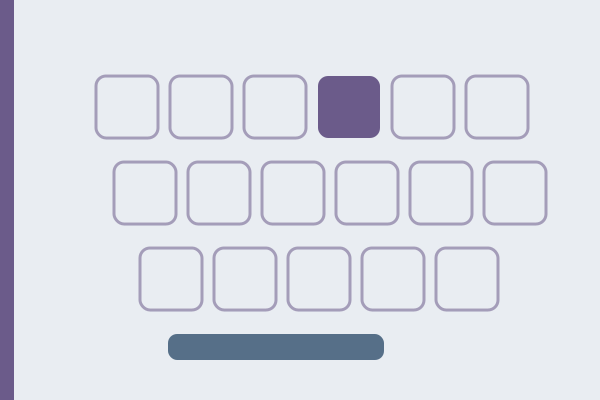
ANSI and ISO are the two dominant physical shapes of computer keyboard, and they differ by exactly one key: 104 against 105 on a full-size board. The comparison above pairs a plain American layout with the US International layout usually loaded on an ISO board, so most of the keys it lights up are a difference of characters rather than of shape. That single key changes four things you can see without measuring anything, and it decides whether a keycap set, a silicone cover, or a spare Enter key will fit the machine in front of you.
What is the difference between ISO and ANSI keyboards?
Both names describe geometry: how many keys the board has and what shape each one is. Neither describes which characters those keys produce, because characters come from the layout selected in the operating system and can be changed in seconds. Geometry is molded plastic and cannot be changed at all.
ANSI is the shape sold across the United States and most of the enthusiast market. ISO is standard across most of Europe, including German QWERTZ, French AZERTY, Nordic and UK boards. The difference lives in three rows and is invisible in the other three.
| Row | ANSI | ISO |
|---|---|---|
| Number row | identical, 14 keys | identical, 14 keys |
| QWERTY row | ends with backslash, 1.5 units wide | ends with the upper half of a tall Enter |
| Home row | 13 keys, Enter 2.25 units wide | 14 keys, backslash sits between the apostrophe and Enter |
| Bottom row | 12 keys, left Shift 2.25 units wide | 13 keys, left Shift 1.25 units plus one extra key |
| Space row | identical, 8 keys | identical, 8 keys |
| Alphanumeric block | 61 keys | 62 keys |
| Full-size total | 104 keys | 105 keys |
Those counts are not our invention. The W3C specification for keyboard code values calls the two shapes the 101 and 102 layouts, and counts 61 keys in the alphanumeric block of one and 62 in the other, with 43 keys in the function, arrow, control and numeric sections that both share.
How do I tell which one I have?
Open the keyboard test and press three keys in this order. The answer takes under a minute and does not depend on the printed legends, which is useful on a board bought abroad.
1. Enter. A tall highlighted cell spanning two rows means ISO. A single wide cell on one row means ANSI. 2. The key immediately right of the left Shift. If the tester registers a separate key there, the board is ISO. If Z lights up instead, it is ANSI. 3. Backslash. Above Enter means ANSI. Left of Enter, on the home row, means ISO.
Then sweep the whole board and count the cells that light up. A total of 105 means ISO, 104 means ANSI. Remove the numeric pad and its 17 keys and the same difference shows up as 88 against 87 on a tenkeyless board.
What is the extra key on ISO for?
The key between the left Shift and Z is the whole difference, and browsers report it under its own name rather than as a duplicate. Depending on the selected layout it produces < and > on German and French boards, a backslash and a vertical bar on UK boards, and a second backslash when a United States layout is running on ISO hardware, which is what that layout assigns to the position.
The backslash moves for the same reason. On ANSI it sits above Enter at the end of the QWERTY row; on ISO the tall Enter takes that space, so the backslash drops to the home row between the apostrophe and Enter. Browsers report both positions under the same name, which is why position rather than name identifies the board.
Does changing the layout in software change the shape?
No. Selecting German on an ANSI board is legitimate and works, with one consequence: the characters a German layout assigns to the missing ISO key have nowhere to live, so < and > become awkward while the umlauts stay exactly where the layout puts them. Microsoft documents the character assignment for every Windows keyboard layout it ships, and none of those documents mention the plastic.
The reverse case is milder. Running a United States layout on ISO hardware leaves one key producing a second backslash. The Polish programmers layout ignores the question entirely: it adds accented letters through AltGr rather than through extra keys, so our tester draws it on the ANSI shape without losing a single character.
What this costs when you buy keycaps or a cover
This is where the difference stops being trivia and starts costing money.
- An ISO Enter keycap will not fit an ANSI board, and an ANSI Enter leaves a visible gap on ISO. Keycap sets are sold as ANSI, ISO or both, and the ISO kit is often the pricier or the sold-out one.
- A wide ANSI left Shift cannot sit on an ISO board, because the switch under it is one unit further right and the neighboring key would be buried.
- A silicone cover cut for ANSI leaves the extra ISO key exposed and misaligns every column after it. Covers are molded per model rather than per layout family, so match the exact machine.
- Printed legends are a separate question again. A German ISO board has Y and Z swapped and umlauts to the right of L. Buying an ISO cover does not give you German characters, and selecting German in software does not repaint your keycaps.
Who should choose ISO, who should choose ANSI
Choose ISO if you write daily in German, French, Spanish, Portuguese or a Nordic language on a board bought locally. Those layouts put a working character on the 105th key, and losing it means reaching for a shortcut every time you need it.
Choose ANSI if you write mainly in English, or in Polish through the programmers layout, and if you expect to buy keycaps. The selection is wider, the Enter key is the shape most photographs and typing guides assume, and nothing in either layout needs the extra key.
The difference matters less than the internet suggests in two common cases. On a laptop the shape is decided by the manufacturer and no purchase changes it. If you never replace keycaps and never swap machines, the four differences are a curiosity rather than a cost.
Where to start: name the board you already own with the three-key check above, then leave the layout alone until you have a reason to change it. If you do move between the two shapes, Enter is the key to watch: its coordinate changes, and on the other shape the old coordinate holds either the key above Enter or nothing at all. Where a finger belongs once the shape is settled is the subject of the ten finger system.
FAQ
Is ISO or ANSI better for typing?
Neither is faster. The measurable difference is where Enter and the left Shift sit, and a hand that stays on one shape settles on both targets. What does cost time is moving between the two shapes often, because the Enter target shifts by one key.
How many keys does a full-size keyboard have?
104 on ANSI and 105 on ISO, counting the numeric pad. Tenkeyless boards run 87 and 88. Japanese boards are a separate case: the arrangement is known by the name 106, which is a layout name rather than the key count of a board sold today, and it places conversion keys around a shorter space bar.
Can I put ANSI keycaps on an ISO keyboard?
Only the letters, digits and most modifiers. Enter, left Shift and the extra key beside Z are different shapes or sizes, so a full ANSI set leaves three gaps on an ISO board.
Why does my keyboard have a key that does nothing?
A United States layout on ISO hardware leaves the 105th key producing a duplicate backslash, and some layouts assign it nothing at all. The key works; the layout has no character for it.
Does ISO or ANSI change which characters I get?
No. Characters come from the layout in the operating system, so the same ISO board can print German, French or English depending on the setting. Only the extra key can be left without a character.
Passages that show the shape under your hands
With the shape settled, the fastest way to know a board is to write on it. The Preamble to the United States Constitution, agreed by the Constitutional Convention in 1787, is one long sentence of 327 characters that keeps the right hand busy with capitals and commas. Louisa May Alcott opened Little Women in 1868 with the gray dawn of Christmas, 363 characters of plain prose. Jane Austen described the park at Pemberley in Pride and Prejudice in 1813, 301 characters with long clauses that show how your Enter hand rests between sentences. All three are in the typing test, with author, year and source.