Typing Brackets and Symbols on Any Layout
The opening brace is Shift with the first key right of P on US ANSI, AltGr with 7 on the German T1 layout, and AltGr with 4 on French AZERTY. The characters that source code depends on are the least stable part of any keyboard: of the 10 symbols a shell or a config file needs most, not one sits on the same key behind the same modifier on all three of those layouts.
Which symbols actually move?
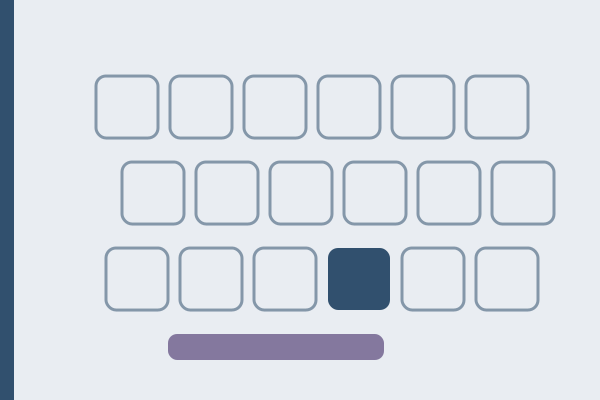
Ten characters cover nearly everything that programming languages, shells and configuration formats need beyond letters and digits: the two square brackets, the two curly braces, the backslash, the vertical bar, the tilde, the at sign, the backtick and the hash. The table gives the real position of each one, read from the Windows layout definitions rather than from the printing on any particular board.
| Symbol | US ANSI | German T1 | French AZERTY |
|---|---|---|---|
| { | Shift and the first key right of P | AltGr and 7 | AltGr and 4 |
| } | Shift and the second key right of P | AltGr and 0 | AltGr and the equals key |
| [ | first key right of P | AltGr and 8 | AltGr and 5 |
| ] | second key right of P | AltGr and 9 | AltGr and the closing parenthesis key |
| backslash | third key right of P, above Enter | AltGr and the eszett key | AltGr and 8 |
| vertical bar | Shift and the key above Enter | AltGr and the key left of Y | AltGr and 6 |
| at sign | Shift and 2 | AltGr and q | AltGr and 0 |
| tilde | Shift and the key left of 1 | AltGr and the plus key | AltGr and 2, dead |
| backtick | key left of 1 | Shift and the key right of the eszett, dead | AltGr and 7, dead |
| hash | Shift and 3 | its own key right of ä | AltGr and 3 |
The hash is the nearest thing to a constant: it sits on the digit 3 on both US ANSI and French AZERTY, though behind a different modifier on each, and moves to a key of its own on German T1. The at sign is not even that stable, traveling from the digit 2 to the letter q to the digit 0. Everything else moves onto the third level, which is reached with the right Alt key marked AltGr.
Why is the backtick the worst of them?
Because on two of the three layouts it is not merely moved, it is dead. A dead key prints nothing on its own: it arms an accent and waits for the next keystroke. On German T1 the backtick lives on Shift with the accent key right of the eszett, and on French AZERTY on AltGr with 7, and in both layout files it is marked as a dead key rather than a character.
The consequence lands squarely on anyone writing Markdown. A code fence is three backticks in a row, and on those layouts a plain triple press does not produce them, because each press is waiting for a letter. The route that works is the space escape: press the key, press the space bar, and the bare backtick appears, three times over. The same applies to the tilde on AZERTY, which matters for any path written as a home directory shortcut.
Plain US ANSI is the only one of the three where both characters print on the first press. US International, despite keeping every symbol in its US position, turns the backtick and the tilde into dead keys as well, which is the single largest cost of that layout for anyone who lives in a terminal.
What does AltGr really do?
AltGr is the right Alt key on almost every board sold outside the United States, and it opens a third character level on keys that already carry two. On Windows it behaves as Ctrl and Alt held together, which is why the left Ctrl with the left Alt often produces the same character, and why an older program sometimes fires a shortcut instead of printing a brace.
The German third level carries the braces and brackets across the digits 7, 8, 9 and 0, the backslash on the eszett key, the at sign on q, the euro sign on e and the micro sign on m. kbdlayout.info draws the German file key by key, and it is worth looking at once rather than guessing from the printing on the keycaps, which is often incomplete.
The French third level is arranged differently again: braces and brackets are spread across the digits 4 and 5, the closing parenthesis key right of zero, and the equals key beside it; the vertical bar sits on 6, the backslash on 8, and the at sign on 0. The French file is drawn the same way.
Which layout is best for writing code?
US ANSI, if the language you write prose in has no accented letters. Every symbol is one modifier away and the third level sits unused, which is the arrangement most programming punctuation was designed around.
US International, if you write both code and prose in Spanish, French, German or Portuguese. The symbols keep their US positions and the accents arrive through AltGr, at the cost of two dead keys you will meet daily in a terminal.
The national layout, if you write mostly prose in that language and code occasionally. The braces cost a stretch, but the letters you actually type all day sit where your hands expect them.
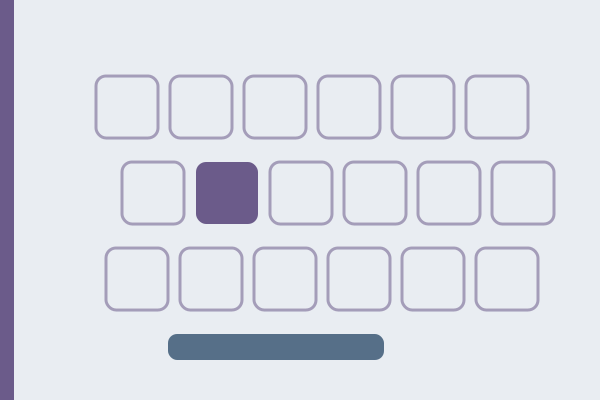
Where to start: find out what your system thinks it has, rather than what the keycaps say. Press the key beside P in the keyboard test; the diagram names the physical position, and beside it stands the character that position currently produces.
When the layout is not the problem
A brace that produces nothing at all is usually a program eating the shortcut rather than a layout fault. Ctrl with Alt is a common menu accelerator in older Windows software, and the same press that types a brace in a browser can open a menu in a text editor.
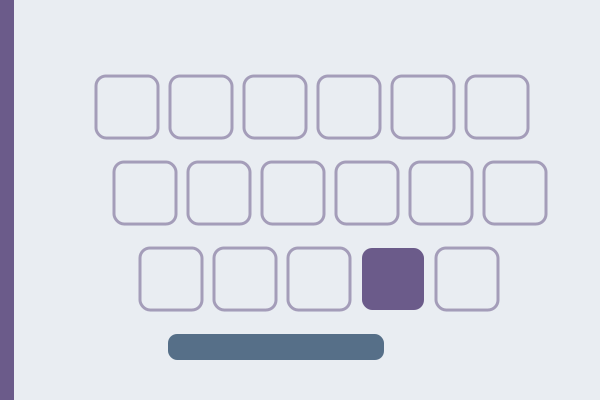
A vertical bar that cannot be typed at all on a German layout is a hardware question, not a layout one. It sits on the key left of Y, which exists on ISO boards and does not exist on ANSI boards, so a German layout on ANSI hardware simply has nowhere to put it. That is one of the practical differences between ISO and ANSI.
And a key that prints nothing on the first press but works on the second was never broken. That is a dead key, and the two-press check that identifies it is described in dead keys explained.
Why a keyboard test must separate position from character
A browser reports two different things for every press. KeyboardEvent.code names the physical key by its position on a US reference board, so the key beside P is always BracketLeft no matter which layout is active. KeyboardEvent.key names the character that key actually produced, which on a German layout is ü.
A test that reads only one of the two gets these keys wrong. Read the position alone and the diagram claims a German user pressed a bracket. Read the character alone and every dead key looks broken, because a dead key produces no character by design. Our keyboard test keeps both, which is what lets it draw six layouts correctly instead of relabeling one, and it is the same distinction that matters when practicing code.
FAQ
How do I type a curly brace on a German keyboard?
AltGr with 7 gives the opening brace and AltGr with 0 gives the closing one. The left Alt key does not open that level. If nothing appears, the program is most likely intercepting Ctrl with Alt as its own shortcut.
How do I type a backtick on a French AZERTY keyboard?
AltGr with 7, then the space bar. The backtick is a dead key on this layout, so on its own it waits for a letter to accent. For a Markdown code fence you repeat that pair three times.
Where is the vertical bar on a German layout?
AltGr with the key immediately left of Y, which is the extra key that only exists on ISO shaped boards. On ANSI hardware running a German layout there is no key in that position at all.
Why do my braces work in the browser but not in my editor?
Because AltGr is Ctrl with Alt on Windows, and older desktop software often claims that combination as a menu shortcut. Testing the same key in two programs separates a layout question from an application one in a few seconds.
Does US International move the code symbols?
No. Brackets, braces, backslash and the vertical bar stay in their US positions on the same modifiers. What it changes is five characters that become dead keys: the apostrophe, the quotation mark, the backtick, the tilde and the circumflex.
Passages that rehearse the punctuation
If you want to feel how much punctuation weighs before touching code, two passages do it without a single line of source. The eleventh edition of the Encyclopaedia Britannica, printed in 1911, lists old English and Scottish standards in 315 characters, with a year in brackets and a semicolon after almost every entry. And Thomas Jefferson filled his Notes on Virginia of 1785 with river measurements, so the Great Miami passage puts figure after figure into 496 characters, which is the nearest thing here to typing out a settings file. Both are waiting in the typing test, with author, year and source on their own pages.
Sources, checked on August 17, 2026: the layout files drawn key by key on kbdlayout.info for the German and the French keyboards.