The US International Layout, and Its Five Dead Keys
Three physical keys on the United States-International layout carry five dead keys between them, and those five reach 51 accented characters in the Windows layout file. Everything else stays where the plain United States layout puts it: the square brackets, the braces, the backslash and the vertical bar sit on the same keys, behind the same modifiers, which is why the layout is a common choice for people who write code in a language with accents.
What is a dead key on this layout?
A dead key prints nothing when you press it. It arms an accent, waits for the next keystroke, and merges the two into a single character when that pair exists in the layout. When the pair does not exist, Windows prints both characters and carries on.
Two behaviors follow, and both are useful for diagnosis. A dead key followed by the space bar prints the bare punctuation mark with no extra space after it. A dead key followed by a letter that has no accented form prints the mark and the letter side by side. How the same mechanism looks on French and German boards is covered in dead keys explained.
Which key arms which accent?
Five marks sit on three keys, because Shift changes what two of them arm. The counts below are read from the Windows layout definition, so they describe what the layout can actually produce.
| Press | Arms | Accented characters it reaches | Escape to the plain mark |
|---|---|---|---|
| apostrophe | acute | 14: the five acute vowels in both cases, plus ý, Ý, ç and Ç | apostrophe, then space |
| Shift and apostrophe | diaeresis | 11, ä ë ï ö ü and ÿ | quote, then space |
| grave key | grave | 10, à è ì ò ù and their capitals | grave, then space |
| Shift and grave key | tilde | 6, ã ñ õ and their capitals | tilde, then space |
| Shift and 6 | circumflex | 10, â ê î ô û and their capitals | circumflex, then space |
Two rows hold a surprise for people who have used the layout for years. The acute key also carries the cedilla, so apostrophe then c gives ç, and it reaches ý as well, which is why the acute row is the only one that covers consonants at all alongside the tilde and its ñ. And the diaeresis reaches the lower case ÿ without a capital Ÿ, so a French word set in capitals runs out of layout. Microsoft publishes the definition as United States-International, and kbdlayout.info draws the same file key by key.
Why does the apostrophe stop printing?
Because it is armed, not broken, and the next key decides what happens. The famous complaint is narrower than its reputation: typing d o n apostrophe t produces don’t with no intervention, because the acute key has no pairing for t, so Windows prints both characters.
The trouble starts when a vowel follows. Typing y apostrophe a l l straight through gives yáll rather than y’all, because apostrophe and a is a pair the layout knows. Opening a quotation in front of a vowel does the same: Shift and apostrophe followed by A gives Ä instead of an opening quote and a capital. In both cases the space bar is the fix, pressed after the punctuation mark and before the letter.
Two habits remove nearly all of the friction. Learn the space escape until it stops being a decision, and remember that the accent always comes before the letter, never after it.
What does AltGr add?
Beyond the dead keys, the right Alt key opens a third level that arrives in a single motion with no waiting state. That makes it the calmer route for characters you type often, and our keyboard test draws these positions on the diagram.
AltGr with a, e, i, o or u gives á é í ó ú, and AltGr with n gives ñ. The umlauts sit on the third level as well: AltGr with q gives ä, with p gives ö and with y gives ü, so a German surname needs no dead key at all. AltGr with s gives ß, with 5 the euro sign, with c the copyright sign, and with the comma ç, which is the second route to the cedilla. Hold Shift with the letter keys and the capitals arrive the same way: Á, É, Í, Ó, Ú, Ä, Ö, Ü and Ñ, with Ç from the comma. For a Spanish name, a German surname or a euro amount inside otherwise English text, that is one modifier and one key.
The dead key route pays off where the third level runs out, and it does run out. AltGr carries the acute vowels, the umlauts, ñ and the Nordic set å, æ, ø, ð and þ, but no circumflex, no grave and no tilde beyond that single letter, so â, à and ã exist only through their dead keys.
Is US International worth it?
Yes, if accents are occasional and the languages are western European. One layout that covers English plus the accented letters of Spanish, French, German, Portuguese and Dutch is simpler to live with than two layouts and a switch between them, and it needs no new hardware, because the physical board stays the ANSI or ISO board you already own.
Yes, if you write both prose and code in an accented language. The symbols that source code depends on stay exactly where a US board puts them, which is the reason this layout keeps coming up in the same conversation as typing brackets and symbols.
No, if the accents you need are Polish. Every Polish diacritic sits behind AltGr on the Polish programmers layout with no waiting state, and ł, ą and ę have no home on US International at all.
Where to start: add it as a second layout rather than a replacement, write for a week, and keep whichever one you stop noticing. Adding, removing and confirming a layout takes about a minute and is described in changing the keyboard layout in Windows.
When this layout is the wrong choice
It loses in the terminal and in Markdown. Backticks fence code, tildes stand for home directories, and quotes appear several times a line, so the escape becomes a tax paid hundreds of times a day rather than a few times an hour.
It loses on a shared machine. Windows ships one United States-International layout, and its dead keys are part of the layout definition, so they cannot be switched off from inside it. Someone who does not know the escape reads the behavior as a fault, and the first thing they report is a keyboard that swallows the apostrophe.
It also loses if you only ever need one or two accented characters. A single café or naïve per week is cheaper through a character picker than a layout that changes the punctuation you use every day.
How to confirm the layout is behaving
Test the punctuation, not the letters. Type an apostrophe followed by a space, a quote followed by a space, then an accented vowel by both routes, and finally a contraction such as it’s inside a normal sentence. If all four come out as intended, the layout is doing its job.
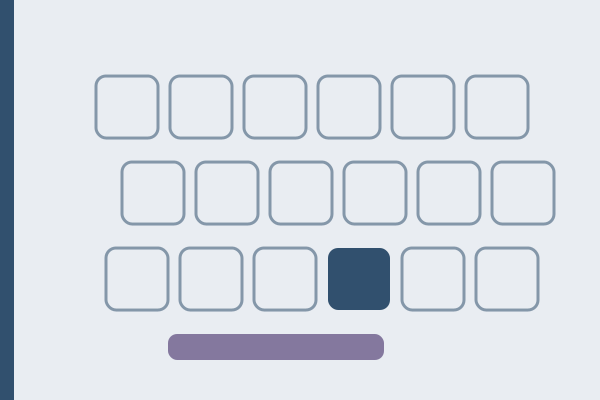
If a key stays silent in a physical key test as well, the cause is not the layout. A dead key lights its cell in the keyboard test every single time, because the test reads the position of the switch rather than the character, and a dead key produces no character by design.
FAQ
How do I type an apostrophe on the US International layout?
Press the apostrophe key, then the space bar. The bare apostrophe appears with no trailing space. Before a consonant you can also just type it, because most consonants have no accented form and Windows then prints both characters.
Why does my quotation mark turn the next letter into ä or ë?
Shift with the apostrophe arms the diaeresis, and the letters a and e both have a paired form. Press the space bar after the quote and it will appear on its own, followed by the letter you wanted.
Can I switch the dead keys off?
Not inside this layout. The dead keys are written into the layout file itself, so the practical route is a second layout: the plain United States layout has no dead keys at all, and switching between the two takes one shortcut.
Does US International move the brackets or the backslash?
No. Square brackets, braces, backslash and the vertical bar keep their United States positions and their modifiers. That is the property which makes the layout usable for code.
Which accented characters does it not cover?
Anything outside the western European set, including ł, ą, ę and the rest of the Polish diacritics, and the capital Ÿ. Polish ó is the exception that proves the point: it happens to be an acute o, so the layout has it, while the letters that are genuinely Polish are missing. The layout reaches 51 accented characters through its dead keys, and the ones it lacks need a different layout rather than a workaround.
Passages that put the apostrophe to work
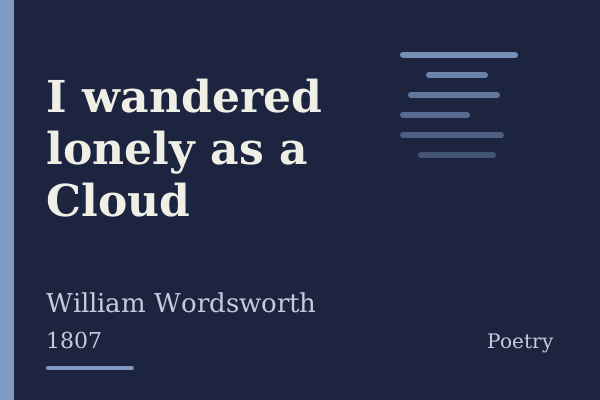
Wordsworth gives you a real trap to practice on. I wandered lonely as a Cloud, which he printed in 1807, contains the word o’er, an apostrophe followed directly by the letter e, which on this layout comes out as oér unless you use the space escape. Its 412 characters are two quiet stanzas about daffodils beside a lake, and they tell you within seconds whether the escape has become a habit. George Gordon Byron sets the same trap twice in She walks in beauty, written in 1814 and published in Hebrew Melodies the following year, where 437 characters hold both o’er and mellow’d. And John Keats closed the first stanza of To Autumn, printed in 1820, with o’er-brimm’d, so its 494 characters ask for the apostrophe and the hyphen in the same reach. All three are waiting in the typing test, each with its author, year and source on its own page.
Sources, checked on August 17, 2026: the Microsoft reference for United States-International and the key by key drawing of the same layout file on kbdlayout.info.