What a Typing Assessment Test Actually Measures
A typing assessment test is a work sample: an employer watches you do a small piece of the job instead of asking about it. Three settings decide the score before your hands are involved: how long the run lasts, whether backspace is allowed, and how much of the passage is visible. Two people with identical hand speed can finish several WPM apart on those settings alone.
What counts as a typing assessment test?
Any exercise in which you retype supplied material under a clock, with the result reported as a speed next to an accuracy figure. Recruitment versions come in two shapes: continuous prose, or a form with fields, Tab between them and a source document to copy from. The form variant is scored like the data entry test, with the keypad counted on its own.
In the United States this exercise sits with performance tests and work samples, and federal guidance expects a selection procedure that screens people out to be job related and consistent with business necessity. The document on employment tests and selection procedures was issued by the Equal Employment Opportunity Commission on December 1, 2007 and rests on the Uniform Guidelines of 1978. The score therefore stands in for a task the role contains, and asking which task is fair game.
How is the score calculated?
One word means five characters including the space that follows it, so WPM counts keystrokes rather than vocabulary, and 60 WPM is 300 characters a minute.
Two versions of that number exist. Gross speed counts everything typed; net speed subtracts a penalty for errors, usually one word per mistake left standing. Practice pages tend to show gross with accuracy beside it, assessment platforms more often net, which alone explains why the same hands produce two numbers in one afternoon. The WPM guide works through both calculations.
Does backspace count?
Whether corrections are allowed changes the whole strategy, so establish it first.
- Corrections allowed, errors counted after correction: fixing mistakes costs time but protects the accuracy column.
- Corrections allowed, gross speed reported: backspace is charged twice, since the correcting keystrokes count and the pause before them does not disappear.
- Backspace disabled: every error stands, and the sensible pace is the one where errors stay rare.
Where the rules are unstated, assume errors are counted and corrections cost time. The assumption is safe in both directions, since it produces a careful pace anyway.
Which roles ask for a typing figure?
Occupation descriptions name the tasks; thresholds appear in the advert. The table pairs four roles from the United States occupation classification with the task each description names, because that task is what a test imitates.
| Role and occupation code | What the official task list names | Which figure a test isolates | Where a threshold appears |
|---|---|---|---|
| Data Entry Keyers, 43-9021 | comparing data with source documents, re-entering it to catch errors | keypad speed in KPH, accuracy separate | the advert, not the classification |
| Word Processors and Typists, 43-9022 | typing from drafts, corrected copies and dictation, then checking spelling | alphanumeric WPM with accuracy | the advert |
| Secretaries and Administrative Assistants, 43-6014 | typing sits among thirty one tasks, beside scheduling and filing | often no separate typing score | rarely published; ask the recruiter |
| Medical Transcriptionists, 31-9094 | transcribing dictation, telling homonyms apart in medical terms | speed against a recording, not a screen | employer or agency standard |
Two descriptions repay a look before an interview: word processors and typists is built around drafts and dictation, while secretaries and administrative assistants shows typing as one duty among many.
A quoted figure arrives in whichever unit the department has always used. KPH divides by 300 to give WPM, so 12,000 KPH is 40 WPM. Where a speed and an accuracy percentage appear together, treat both as thresholds until the recruiter says otherwise, and which of the two screens people out is a fair question to ask.
Where does the test happen, and what does that change?
An office test puts you on the employer’s keyboard, whose key travel may differ from the board your hands know. A link sent to you puts you on familiar hardware, with remote supervision as the trade off. Ask beforehand how long the run is and whether corrections are allowed.
Who this suits, who it does not, where to start
It suits anyone applying for work where text arrives from a document, a draft or a recording and has to come out clean: records, transcription, claims, scheduling desks. The format, not the talent, is what surprises people.
It does not suit a role where typing is incidental. If the advert quotes no figure and the duties are analysis, calls or client work, a week of speed practice buys little.
Establish the format, practice at that duration, then hold accuracy where the advert puts it and let speed follow. Take two or three warm up minutes on comparable material, so the scored run is not your first pass at the format. If a key fails to register, the keyboard test confirms it in seconds.
When the number does not mean what people think
A personal best from a 15 second run does not transfer to a three minute assessment, and quoting it sets up a gap you then have to explain. A quiet room and a familiar keyboard also flatter the number.
Speeds from two tools are not comparable unless both state gross or net, and most pages do not say. Our typing test is a measurement you can repeat, not an assessment anyone can verify: nobody confirms who sat at the keyboard, and nothing is stored for a recruiter to check. What a certificate from such a session is worth is covered in the typing certificate guide.
FAQ
Does a typing test decide the hire on its own?
Sometimes it is a threshold, more often one input among several. The recruiter can say which, and the answer changes how much preparation is rational.
What speed should I aim for before applying?
The figure printed in the advert, measured at the duration it implies. Where none is printed, no external standard exists, and accuracy over a full run is the better thing to build.
Can I ask for the test to be given differently?
In the United States, an applicant with a disability can request reasonable accommodation in how a test is administered; federal guidance treats it as the employer’s duty.
Three passages to settle your hands on
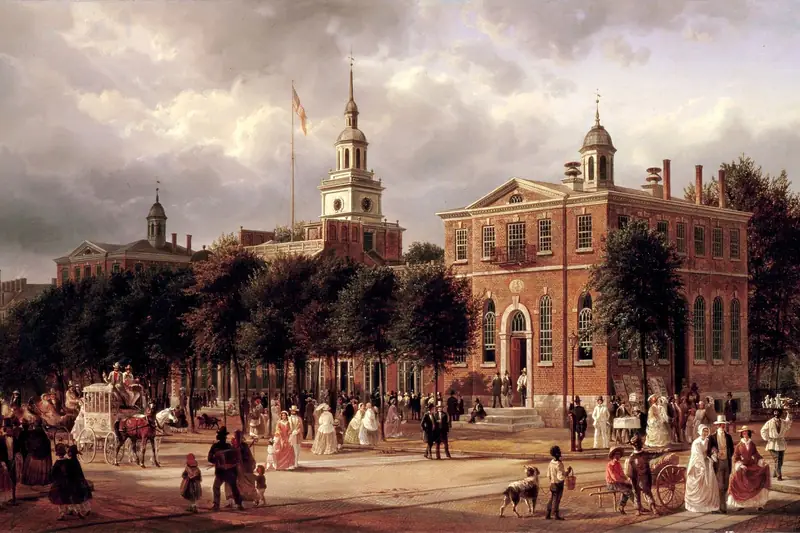
Practice does not have to feel like an exam. The sentence on unalienable rights adopted by the Second Continental Congress in 1776 is 212 characters in which the same clause shape returns three times, so your hands find a tempo while your eyes stay ahead of them.
Article 23 of the Universal Declaration of Human Rights, adopted by the United Nations General Assembly in 1948, sits closer to assessment material: 456 characters on work and equal pay, with clauses typed as a digit, a period and a space. The Magna Carta clause sealed by King John in 1215 is 242 characters of one long clause held together by commas, with a single semicolon at its hinge.