The Ten Key Test, and How Keypad Speed Is Counted
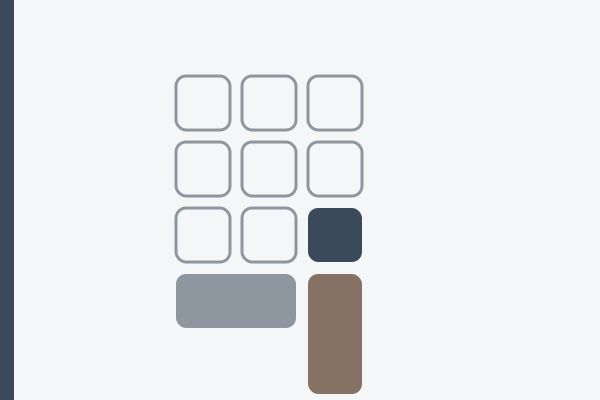
A ten key test measures how fast you enter digits on the numeric keypad and reports the result in keystrokes per hour, not words per minute. The block is a standardized object: ISO/IEC 9995-4 covers the numeric section of a keyboard. Speed there behaves differently from speed on sentences, which is why data entry assessments score it separately.
What does a ten key test actually measure?
The test counts every keystroke from the numeric block over a fixed period: digits, the decimal key, and the Enter or Tab closing each field. English prose lets a hand guess the end of a word from its first letters; a column of figures gives nothing away, so every character is read and placed on its own. The two are scored apart for that reason, which is why the data entry test keeps numeric work in its own column.
How do you convert KPH to WPM?
Keystrokes per hour is a count rather than a pace you can feel, so the move is to divide. KPH divided by sixty gives keystrokes per minute, and since a word in any typing measurement is five characters, dividing again by five gives the WPM equivalent. KPH divided by 300 is the whole shortcut.
Adverts quote round KPH figures; the table turns them into a pace you can picture. One row can be tied to a public source. California requires a minimum of 40 WPM on a proctored five minute test for its clerical classes, and 40 WPM is exactly 12,000 KPH. That certificate is earned on prose rather than on the keypad, so it anchors the arithmetic and not the keypad requirement itself.
| KPH | Keystrokes per minute | WPM equivalent |
|---|---|---|
| 6,000 | 100 | 20 |
| 8,000 | 133 | 27 |
| 9,000 | 150 | 30 |
| 10,000 | 167 | 33 |
| 12,000 | 200 | 40 |
| 15,000 | 250 | 50 |
Accuracy travels with the figure, because a KPH number alone describes a hand in motion. The same arithmetic runs backwards through the CPM and KPH conversions.
Why does the keypad run upside down compared with a phone?
Both blocks hold ten digits in a three by three grid with zero underneath, and they disagree about which row starts. The keypad puts 7, 8 and 9 along the top, following the mechanical adding machines that came first. The telephone puts 1, 2 and 3 on top, an arrangement fixed by ITU-T Recommendation E.161, the standard for digits, letters and symbols on telephones. A hand trained on a phone reaches for 1 where 7 lives; the confusion is structural.
Where is home position on the block?
Almost every full size keyboard marks the 5 key with a raised dot or bar, and that marking anchors everything. The middle finger rests on 5, the index on 4, the ring finger on 6. Every other digit is one row up or down: 7, 8 and 9 above, 1, 2 and 3 below, with the thumb on 0.
Enter has two schools: the little finger staying in the right hand column, or the thumb crossing from 0. Both work; switching at random does not, because the most repeated key never builds one reflex. The rule that governs touch typing holds here too: one key, one finger, every time.
Why does the keypad type arrows instead of digits?
A block that produces nothing is usually not broken. Num Lock is off, and with the lock off those keys send arrows, Home, End, Page Up and Page Down. In a browser the split shows directly: KeyboardEvent.code reports Numpad4 in both states, while KeyboardEvent.key switches between 4 and ArrowLeft. The decimal key is the second trap and it moves between countries: a German layout sends a comma from it, because that is the separator the language uses. A figure arriving as 1,50 instead of 1.50 is a settings question, not a slip of the finger.
Hardware faults look different again: a digit needing a firmer press, one that occasionally does not appear, one that appears twice from a single tap. The keyboard test shows each press and repeat as it happens, so a suspect key is confirmed in seconds rather than blamed for a low score. Contamination under a keycap is a common cause, and cleaning the board sometimes settles it.
Who the keypad is for, and where to start
Yes if figures are the bulk of the day: bookkeeping, payroll, stock control, laboratory records, order entry, claims handling.
No if your day is text with the odd number in it. The row above the letters handles a few dozen digits an hour, and the same hours spent on the letter layout return more.
Start here: switch Num Lock on, find the bump on 5, and copy real material with your eyes on the source, not the block. Invoice columns and meter readings work because they mix lengths and force the decimal key. Invented figures fall into comfortable patterns, and comfortable patterns train the pattern rather than the hand.
When a ten key test is not worth preparing for
Preparing for a keypad assessment makes sense when an employer has said the score counts. As a bet on a career it is thinner than it looks: O*NET records Data Entry Keyers at 141,600 employees in 2024, projected growth to 2034 marked as a decline, and median wages of $19.88 an hour in 2025. The keypad supports other work rather than being a trade.
It is also the wrong drill if the assessment ahead of you is prose: a typing certificate is measured on sentences, and numeric practice does not move that figure.
FAQ
Is a ten key test the same as a typing test?
No. A typing test measures sentences and reports WPM; a ten key test measures the numeric block and reports KPH. A strong result in one says little about the other.
What counts as a good ten key speed?
Employers set the threshold, not the keyboard. The one public benchmark quoted here, the Californian clerical requirement of 40 WPM or 12,000 KPH, is measured on prose rather than on the keypad, so it gives you a scale rather than a keypad standard. Your own figure describes today, not a ceiling.
Does the test count Enter and the decimal point?
In most assessments it does. Every keystroke from the block counts, and because each field ends with Enter or Tab, that finger fires as often as any digit finger.
Can I take a ten key test on a laptop with no keypad?
You can use the number row, but the scores are not comparable. The row is a horizontal reach with the whole hand, the block a stationary grid; an external keypad is the only way to practice that movement.
What to type next
When the digits have had enough, prose lets the right hand out of the block. Thomas Jefferson filled his Notes on Virginia of 1785 with river measurements, and two passages there are prose with figures embedded in it: the Great Miami at 496 characters, the Illinois portage at 462. Digits make up about four characters in every hundred, so these train the switch between text and numbers rather than the keypad itself. Jane Austen’s drive into the park at Pemberley, 301 characters from Pride and Prejudice of 1813, rewards a steady rhythm instead. All three wait in the typing test, with author, year and source.