How to Learn Touch Typing Without Bad Habits
Touch typing means your fingers find keys by distance rather than by sight, with your eyes on the text. The largest measurement of the skill, a study of 168,000 volunteers at Aalto University, puts the average speed at 51.56 WPM and the fastest tenth above roughly 78 WPM.
Where do the fingers actually go?
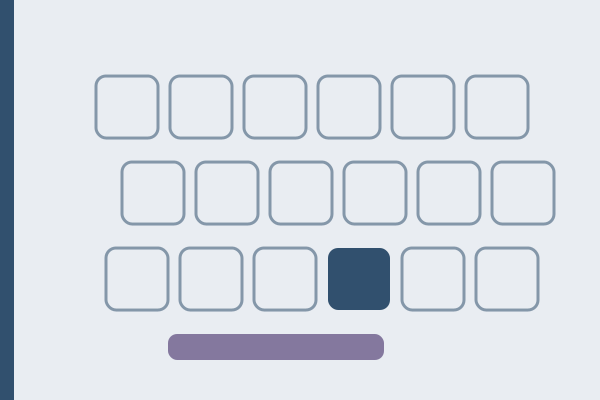
Four fingers of the left hand rest on A, S, D and F, four of the right on J, K, L and the semicolon, both thumbs on the spacebar. Every other key is defined by its offset from a finger already resting somewhere known. Most keyboards mark the anchors physically: run a fingertip along the middle row and you will feel a ridge on F and J.
| Finger | Home key | Also covers |
|---|---|---|
| Left little | A | Q, Z, 1, Tab, Caps Lock, left Shift |
| Left ring | S | W, X, 2 |
| Left middle | D | E, C, 3 |
| Left index | F | G, R, T, V, B, 4, 5 |
| Right index | J | H, U, Y, N, M, 6, 7 |
| Right middle | K | I, comma, 8 |
| Right ring | L | O, period, 9 |
| Right little | Semicolon | P, slash, 0, apostrophe, Enter, right Shift |
| Thumbs | Spacebar | Spacebar only |
Two habits in that table separate fluent typists from key hunters. Capital letters use the opposite Shift from the letter, so a capital T takes right Shift and a capital P takes left Shift. And the little finger has to own Enter, or the right hand leaves home position dozens of times per page. On a QWERTZ, AZERTY or Polish programmer layout the columns hold while the letters inside them change.
Does a typing course actually make you faster?
Less than most people assume. In the Aalto dataset of 136 million keystrokes, participants reporting typing training averaged 54.35 WPM against 49.00 WPM for those with none: a gap of 5 WPM, with a small effect size.
A motion capture study by the same group, How We Type, found that self taught typists reach speeds comparable with trained touch typists, even using fewer fingers. What predicted performance was not finger count but three things: a consistent mapping, preparation of the next keystroke, and minimal hand movement.
The system is a reliable route to those three properties rather than a magic number. A consistent self taught hand is not doing anything wrong.
What separates a fast typist from a slow one?
Not how long keys are held down. Average keypress duration across the Aalto sample is 116 ms and barely moves between fastest and slowest participants. The difference sits in the gaps: the interval between keystrokes averages 122 ms in the fastest tenth and 481 ms in the slowest.
Two behaviors track speed. The first is rollover, pressing the next key before releasing the previous one: 25 percent of keystrokes on average, correlated with speed at r = 0.73, and 40 to 70 percent among the fastest. That is one of the strongest relationships in the study, though not the strongest: the interval between keystrokes tracks speed at r = -0.84. The second is finger count, averaging 6.95, with 8.4 in the fastest tenth and 5.3 in the slowest.
Neither is worth forcing: rollover appears once a key no longer needs a decision.
How much accuracy is enough?
Across the Aalto sample the average uncorrected error rate was 1.167 percent, and 90 percent of participants left under 2.66 percent of errors in finished text. Corrections took 6.3 percent of all keypresses: the real cost of a rushed run.
Error types are informative. Substitutions, hitting the wrong letter, were the most common at 1.65 percent, ahead of omissions at 0.8 percent and insertions at 0.67 percent, and that is where fast and slow participants differed most. A hand that swaps letters is unsure where a finger sits: a mapping problem, not a speed problem. The common typing mistakes fall into a few shapes.
Who should learn the system, and where to start
Yes if you look down while typing, or letters land in the wrong order when you hurry. Both are signs that keys are found by sight, and both respond to a fixed finger assignment.
No if you already type comfortably without looking, at a pace that keeps up with your thinking. Rebuilding a working mapping costs weeks of reduced speed for an undemonstrated gain.
Start here: type slowly without looking, on the layout you use, in short sessions rather than one long one, and accept that the first days feel worse than your old method. The home row finger placement guide covers the assignment key by key, and the typing test shows which keys cost you most.
When learning from scratch is the wrong project
If your work is text, you are not looking down, and speed is not the bottleneck in your writing, the system is not the highest value thing to practice. Punctuation, symbols and numbers cost more real time than raw letter speed.
The same applies to a certificate you do not need. California asks for a minimum of 40 WPM on a proctored five minute test for clerical roles, below the measured average of 51.56 WPM. Clear the bar your job asks for and extra drilling is a hobby, not an investment.
FAQ
How fast is a normal typing speed?
The Aalto study of 168,000 volunteers recorded an average of 51.56 WPM, the fastest tenth above roughly 78 WPM and the slowest tenth below roughly 26 WPM. The average typing speed breakdown covers how it varies.
Do I have to use all ten fingers?
No. Measured speed rises with finger count, from 5.3 in the slowest tenth to 8.4 in the fastest, but the motion capture work found consistency the stronger predictor. Six fingers used the same way beats ten used at random.
How long does it take to learn?
Nobody can give an honest number: published studies measure speed, not learning curves. What the data supports is that looking down is the first habit to go, and that short frequent sessions suit a motor skill.
Should I practice on a different layout from the one I use?
No. The finger columns hold across QWERTY, QWERTZ and AZERTY while the letters inside them move, so practicing one layout and working on another trains hesitation instead of reflex.
What to practice next
Practice sits better on prose you would read anyway. The opening of Alice in Wonderland, published by Lewis Carroll in 1865, runs 302 characters in one long unhurried sentence, a calm place to hold the home row. Jane Austen’s description of Highbury, from Emma in 1815, keeps adding qualifications for 428 characters, so the hands learn to hold a line without pausing. Thoreau’s account of moving into his unfinished cabin, from Walden of 1854, tucks a date inside one long sentence, so its 383 characters take punctuation and figures at one pace. All three wait in the typing test, with author, year and source.